Learn
What MCP servers do in Claude Code
MCP servers are how Claude Code gets tools and data beyond your files: your issue tracker, your documentation, a browser, an internal service. Here is what that changes in practice, and what it costs.
Short answer
An MCP server hands Claude Code tools and data it does not otherwise have: your issue tracker, your documentation, a browser, an internal service of your own. The agent can then look things up mid-task instead of asking you to paste them in. You pay in what comes back: results take room in the conversation, and text written by strangers lands in front of the agent.
What an MCP server is
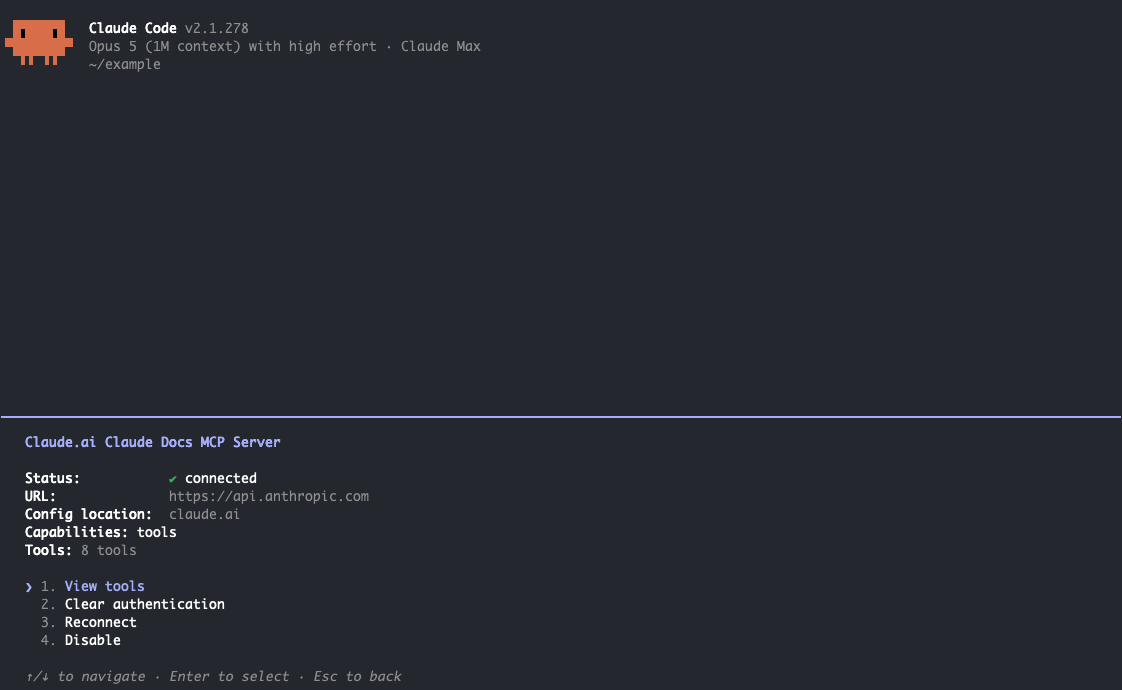
Claude Code arrives knowing how to read files, edit them, run commands and search the web. Anything beyond that has to be handed to it, and MCP is the standard way of handing it over. A server is a small program exposing a set of tools, and sometimes documents, which the agent calls the way it calls a built-in tool.
The working model is a plug: on one side something your team already relies on, a ticket system, a wiki, an internal API; on the other the agent, which can now query it during a task. Servers come from the vendor, from third parties or from your own team. Know which before you install one, because a server acts with whatever access you give it.
What that changes day to day
What changes is that the agent can go and look something up while it works, instead of waiting for you to supply it.
Your issue tracker Point the agent at a ticket by number and it reads the ticket itself: the description, the comments where somebody changed their mind, the linked change. You stop copying things across by hand.
Your documentation A server over your docs or wiki lets the agent check how your team does something before writing code that does it differently. That matters most for conventions recorded nowhere in the repository, like which of three ways of handling auth is current.
A browser With browser control the agent can open the page it just changed, click through the flow and read the console. That moves the work from writing code that should behave correctly to checking whether it does.
Your own internal service A tool that queries a staging database or reads deploy status turns a manual check into something the agent does inline. If your team already has a script for the job, letting the agent run it may be all you need.
Choose where a server is available
A server can be configured at three scopes. Local is the default: the server is available to you, in that one project, and nobody else sees it. Project scope stores the configuration in .mcp.json in the repository, so a colleague who clones it gets the same servers. User scope makes a server available in every project you open.
Pick the narrowest scope that fits. A server that reaches a reporting database belongs to the one project that needs it. For a team, project scope is the one worth using: you decide once what this project’s agent can reach, and the decision sits in the repository where anyone can review it. Keep credentials out of that file, since it gets committed.
What it costs you in context
Claude Code does not load every tool a server offers up front. Tool search, on by default, loads tool definitions when the agent needs them, so a server you rarely call costs little. What costs context is what tools return. Every result lands in the conversation, and a search that returns twenty documents when you wanted one spends room you will miss later.
You never see an error for this. You see an agent that loses the thread of a long task, and you blame the model long before you blame the plumbing. Favour servers that answer narrow questions with short results.
What comes back is input you did not write
The other cost is trust. A ticket description, a page in a shared workspace and a comment thread are all written by somebody, not always somebody you know. When a tool returns that text it lands in the agent’s context and the agent reads it, so a source you do not control deserves the same suspicion as any web page: useful as information, never as instruction.
That is no reason to avoid MCP, only to be deliberate about it. Prefer read-only access wherever it is enough, and keep anything that writes to a system that matters behind your own review. Read-only does not mean harmless: whatever a tool can retrieve ends up in the session. And read the permission prompt rather than clearing it by reflex, knowing the bigger decision came earlier, when you connected the server and chose what it could see.
What is worth connecting
Work backwards from the interruptions: over a week, notice what you keep pasting into the chat and what you keep leaving the editor to check. That is your shortlist.
A tool that only reads is one you can approve with far less worry. AppHaven’s CLI and Claude Code skill are read-only for exactly that reason: an agent can check whether a deploy worked and read the logs, while deploys happen on git push. The release stays with whoever pushes, so decide separately whether the agent may push at all.
For setup, scopes and tool search details, follow the official Claude Code documentation.
Common questions
How many MCP servers should I connect?
Fewer than you are tempted to. Tool search keeps unused tool definitions from filling the conversation, so an idle server costs little context, but every server is one more set of credentials and one more source of text the agent reads. Keep the ones that remove work you genuinely do and drop the rest.
Does a server I add for one project work in all my projects?
Not by default. A server you add is local: available to you, in that project. Project scope shares it with the team through .mcp.json, and user scope makes it available across all your projects. Credentials and the server’s own permissions still decide what each person can reach.
Run it on AppHaven.
Run your business app with a managed database, private access and production backups.